For iPhone & Android · Coming soon
See something fun? Make it a plan.
Down to Clown turns a photo of an event flyer into a calendar event. Snap it, check it, tap I’m Down.
No account. No uploads. Your flyers never leave your phone.

How it works
See it. Scan it. Confirm it. I’m Down.
Four steps from a flyer on a lamppost to a plan on your calendar. No typing.
-
See it
A flyer on a café wall, a poster downtown, a post in your feed.
-
Scan it
Snap it with the camera, pick a screenshot, or share the image straight in from Photos, Instagram or anywhere else.
-
Confirm it
Check what it found. Fix anything that needs it in a tap.
-
I’m Down
It’s on your calendar, and the flyer is saved in My Plans.
What it reads
Everything on the flyer, right off the photo.
The event name, date, time, location, price, links and QR codes. It even catches the fine print, like a registration deadline that isn’t the event date.
Moonlight Swing Night
- When
- Sat, Oct 10 · 8:00–11:00 PM
- Where
- The Lantern Room, 12 Harbor Lane, Bayview
- Price
- $15
- Link
- papermoon.example
An illustration with a made-up event: a flyer on the left, what Down to Clown pulls out of it on the right.
Handles the annoying stuff
Flyers are messy. It copes.
-
 Several dates?
A flyer with a whole run of dates gives you a list. Tick the ones you’re down for.
-
Every Sunday
A flyer that says “every Sunday” or “every other Friday” becomes an event that repeats on your calendar.
-
No double-booking
Already added this one? It notices, and links to the event you have instead of making a copy.
-
Wonky photos
It turns a sideways or upside-down shot the right way up and trims the flyer’s border.
-
My Plans
The original flyer is saved with every plan, so you can search for it and find it later.
-
Share it in
See a flyer in another app? Share the image to Down to Clown and it goes straight to review.
Private by design
Your flyers never leave your phone.
Down to Clown reads flyers with your phone’s own on-device text recognition. There’s nothing to upload and nowhere to upload it to.
-
On-device text recognitionFlyers are read on your phone, not on a server.
-
No accountNothing to sign up for, and no profile of you.
-
No serverYour plans and flyers live in the app’s private storage.
-
No analyticsNo tracking, no ads, no crash reporter.
-
No network codeThe app never goes online. On Android it doesn’t even have the internet permission.
Screenshots
A look inside.
From a flyer to a plan in a few taps.
-
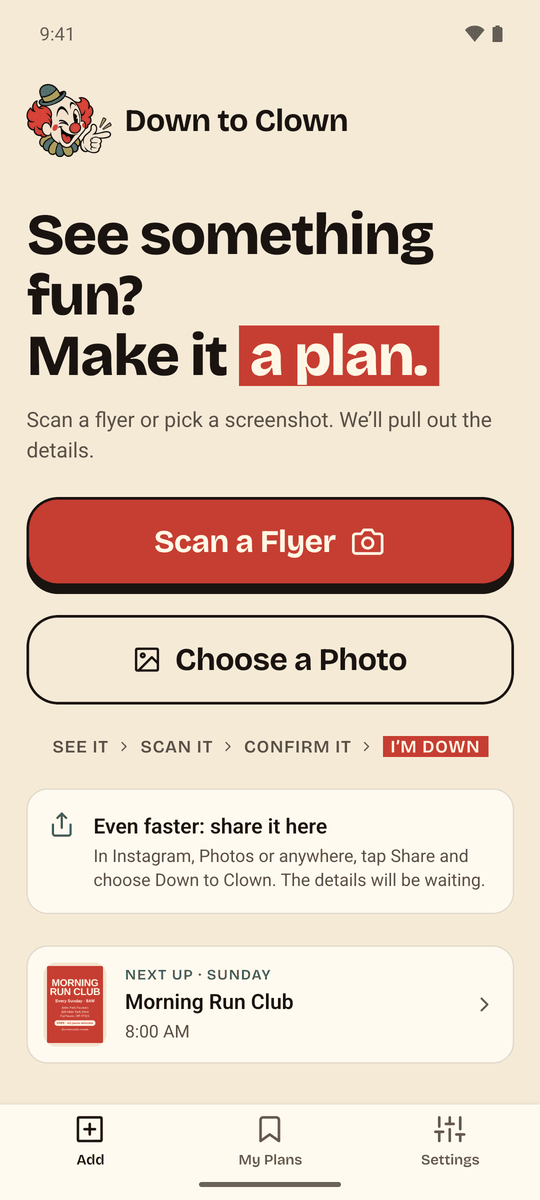
Add a flyerScan, choose a photo, or share one in -
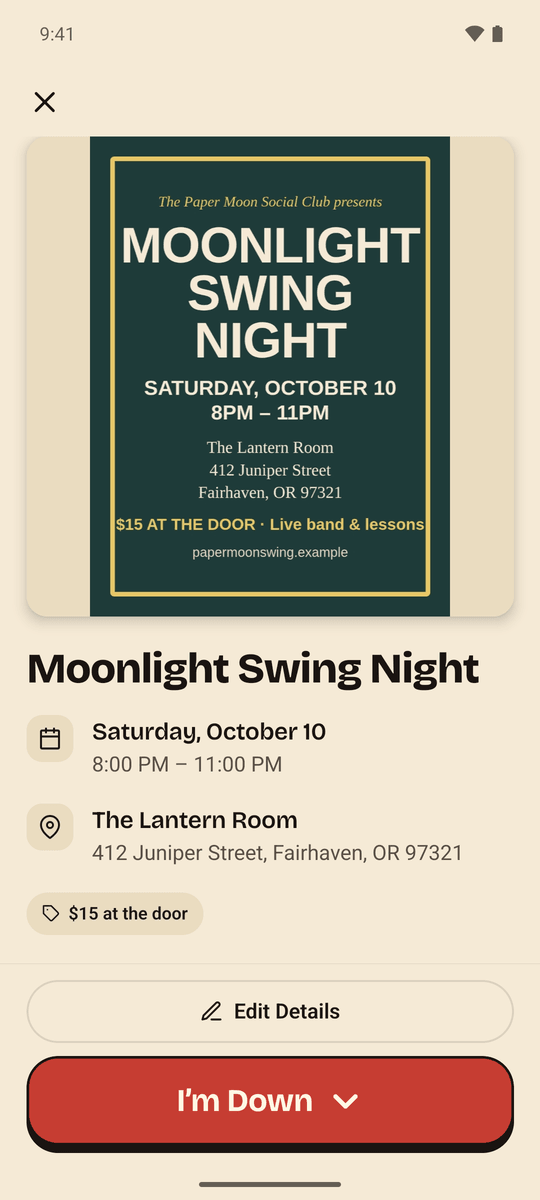
ReviewEverything it found, ready to check -
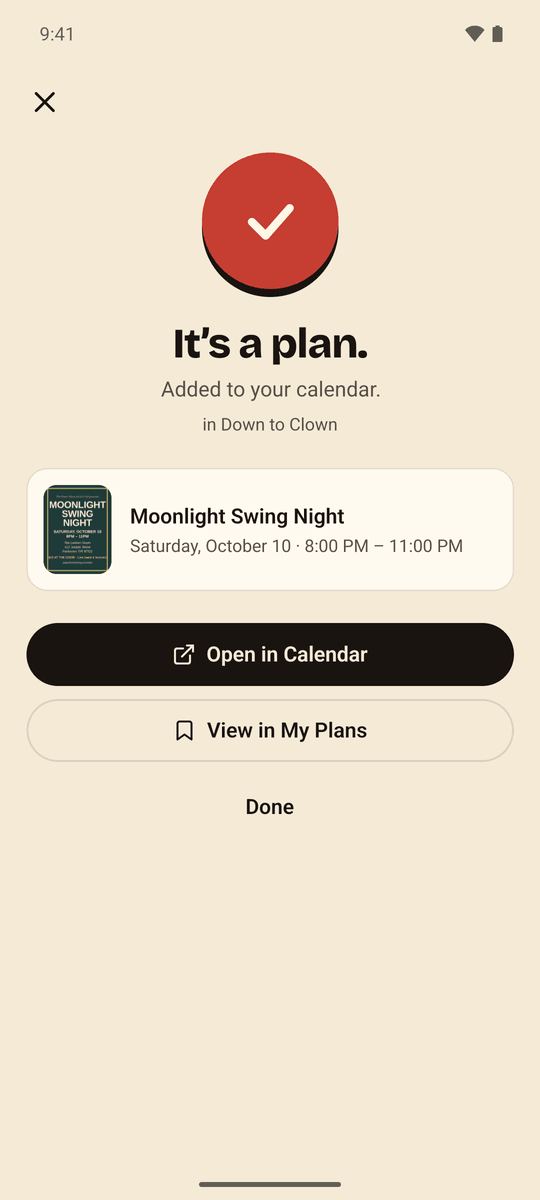
It’s a planAdded to your calendar -
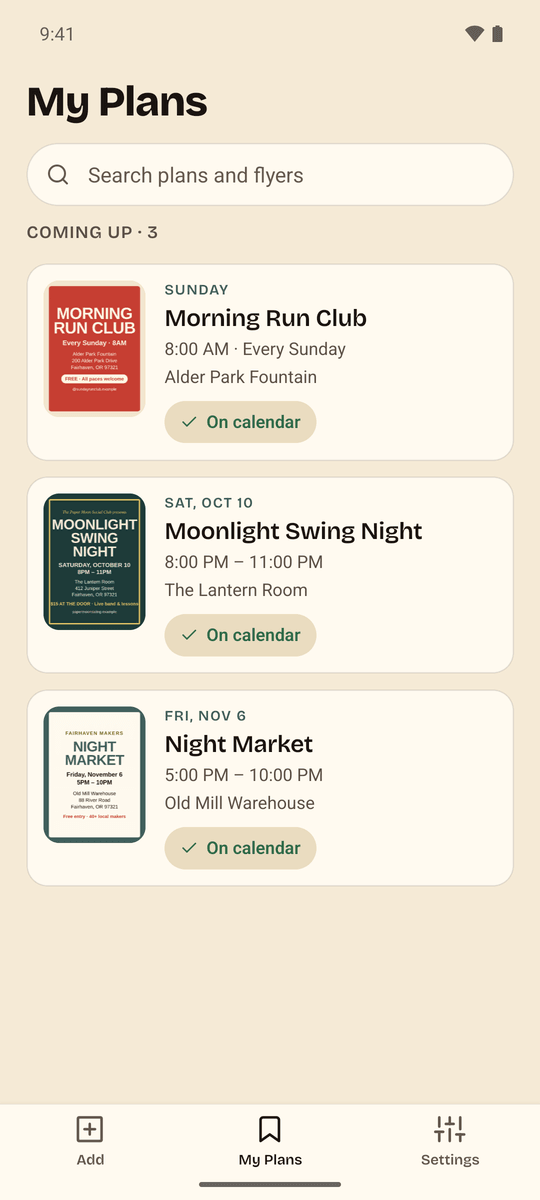
My PlansEvery flyer, saved and searchable -
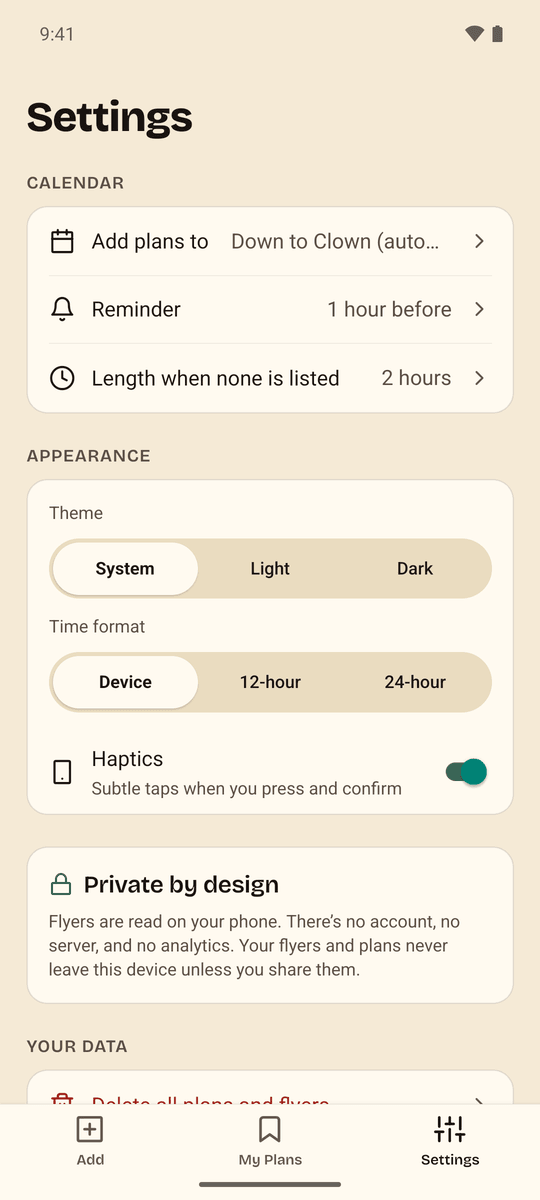
SettingsNo account, no tracking


Download
Coming to the App Store and Google Play.
Down to Clown is almost ready for iPhone and Android.
- Coming soon toGoogle Play
- Coming soon to theApp Store